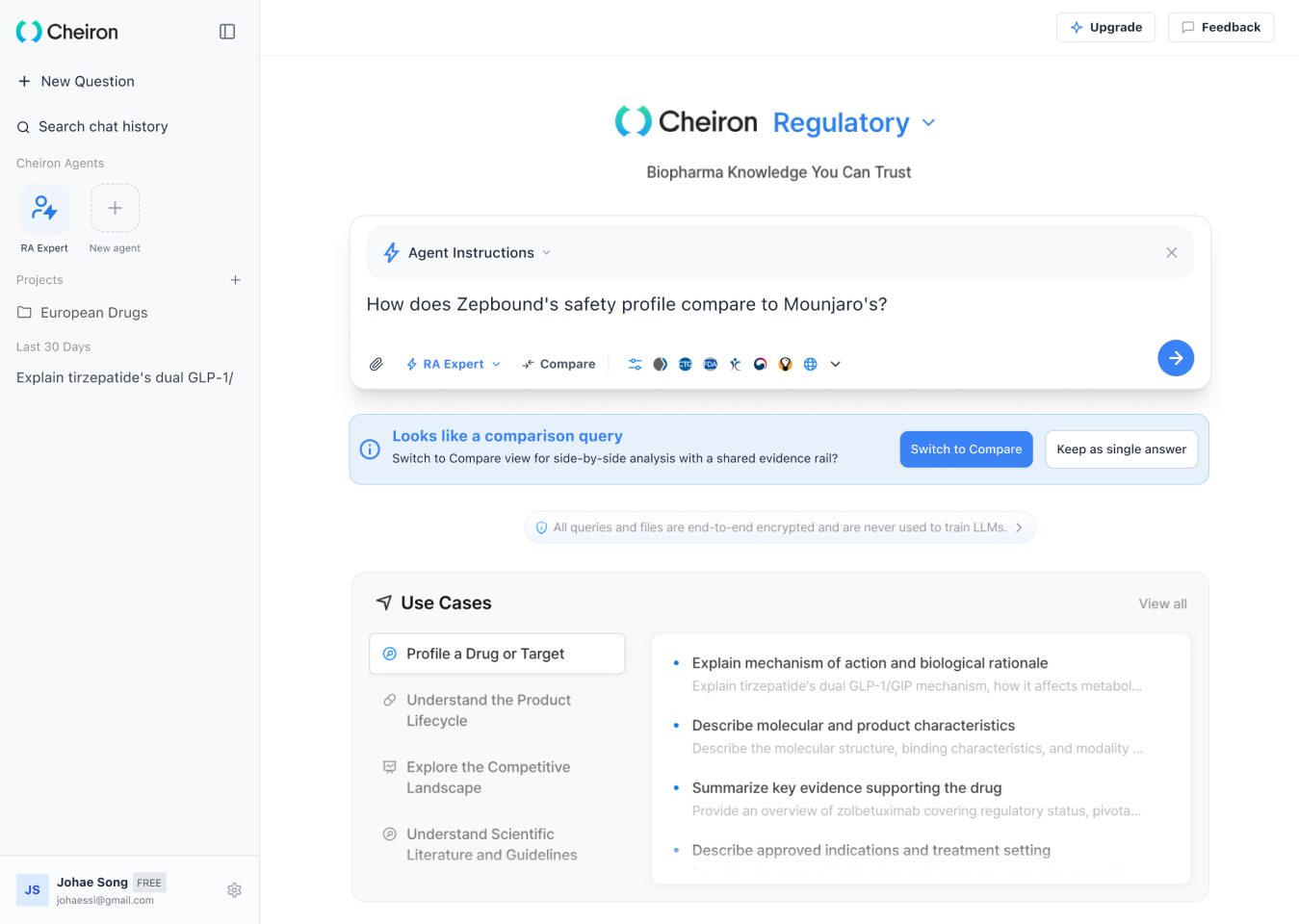
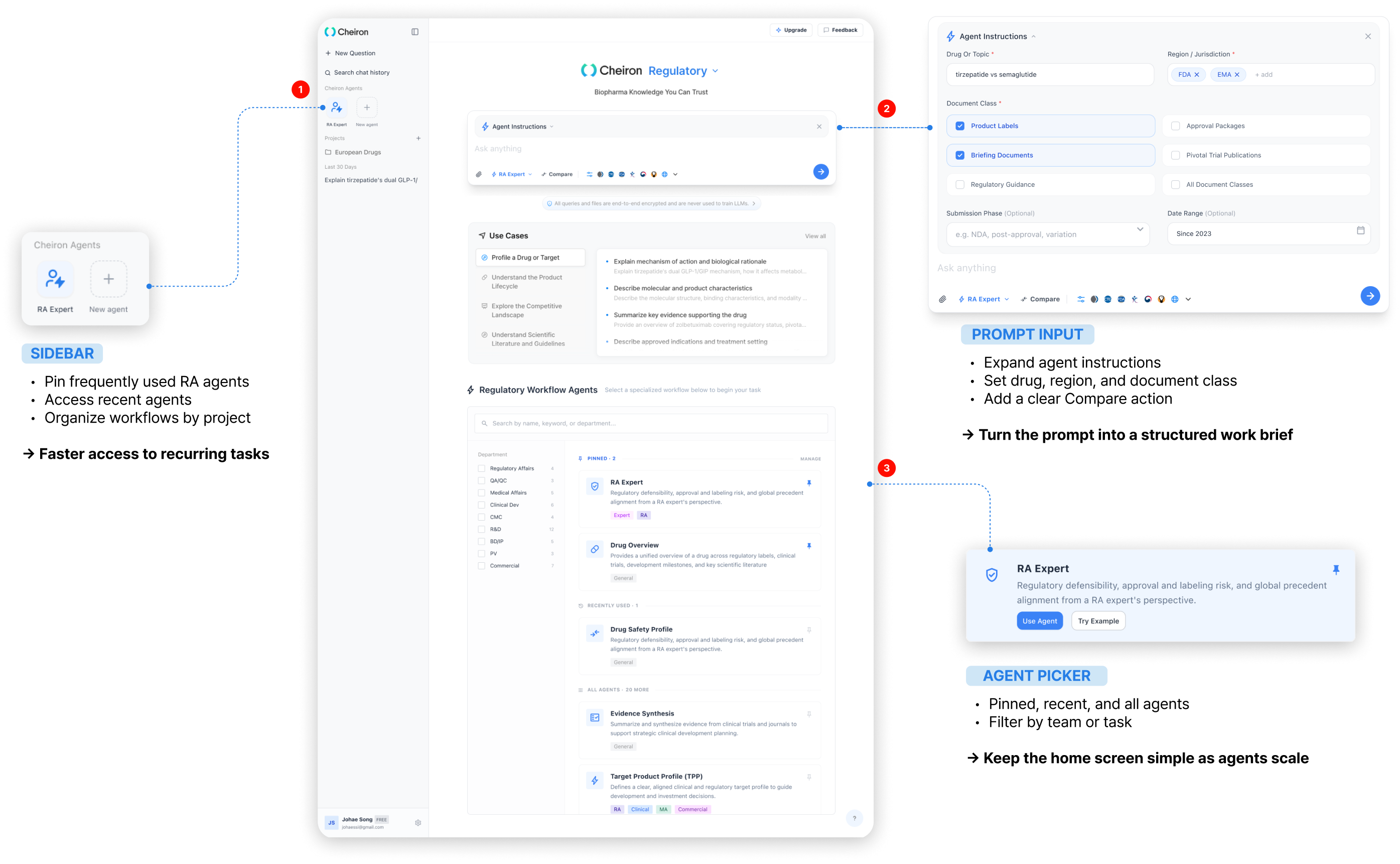
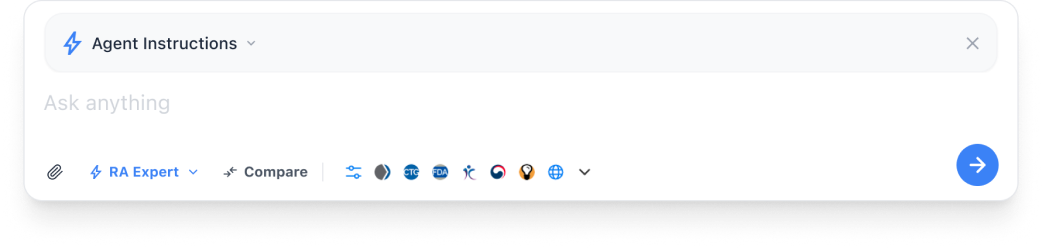
Not a search box. An RA task brief. Conditions matter more than wording — drug, region, and doc type get set before you ask.
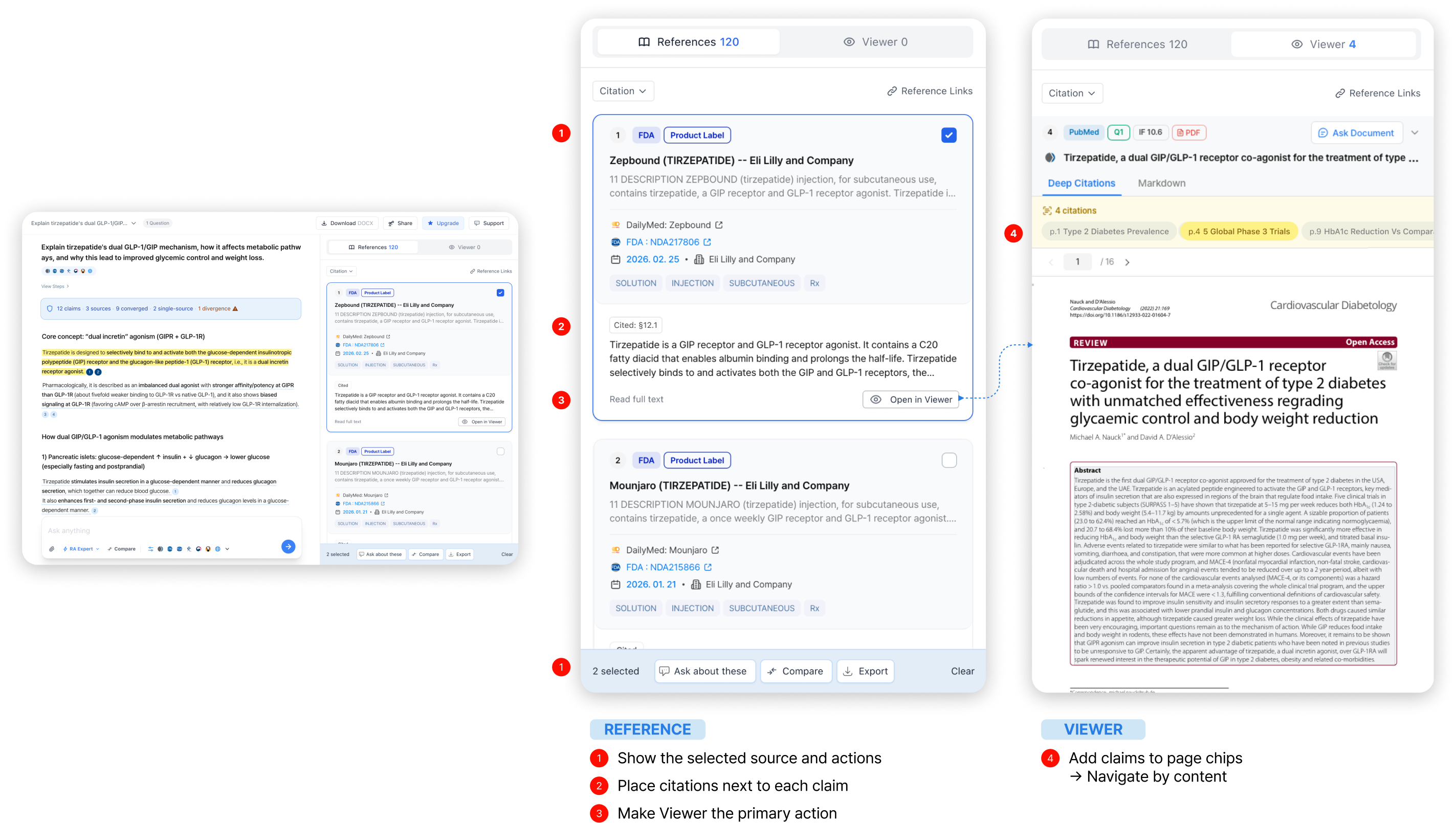
② Verification — answer to source, instantly
Answer to source, in one motion. Trust isn’t the wording — it’s being able to trace the evidence behind it.
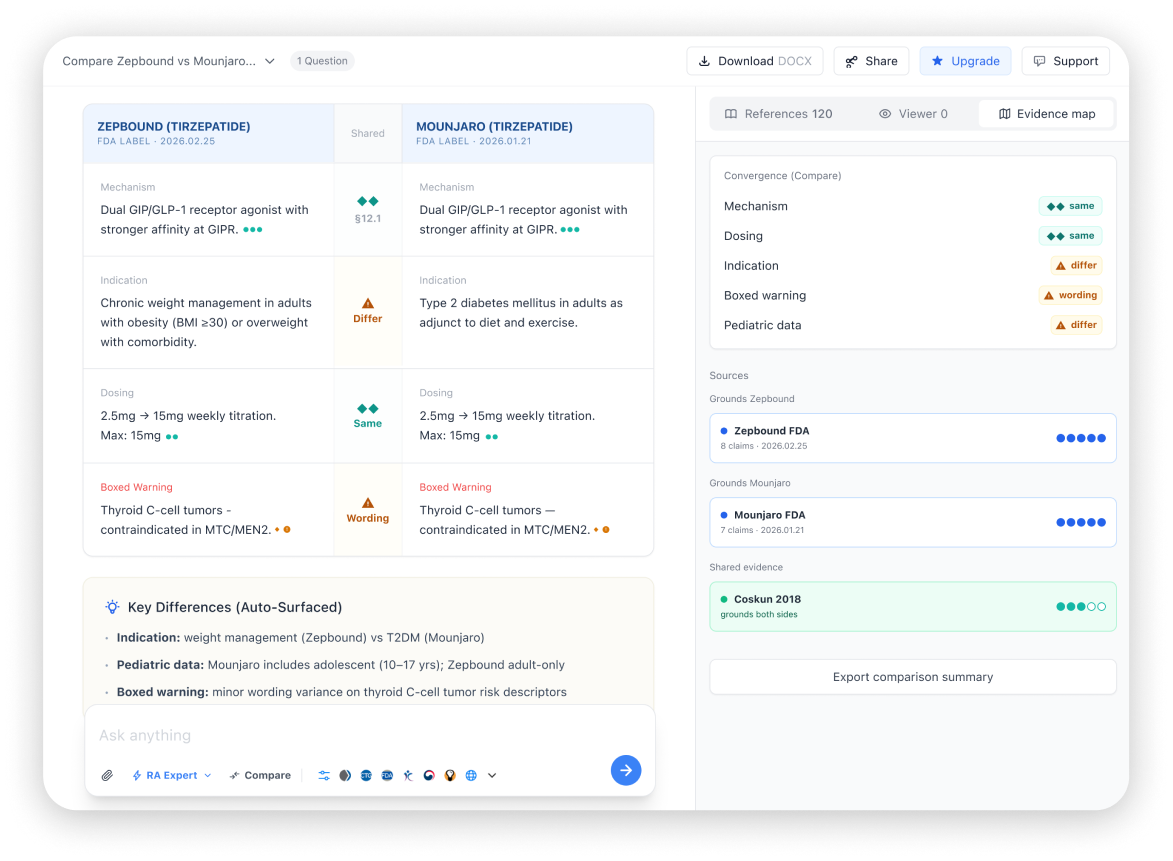
③ Compare — drug comparison in the flow
Compare, built into the flow. Not just what’s different — which document and standard it’s from. Manual or auto-detected.
A. Click Compare directly, then pick drugs and criteria
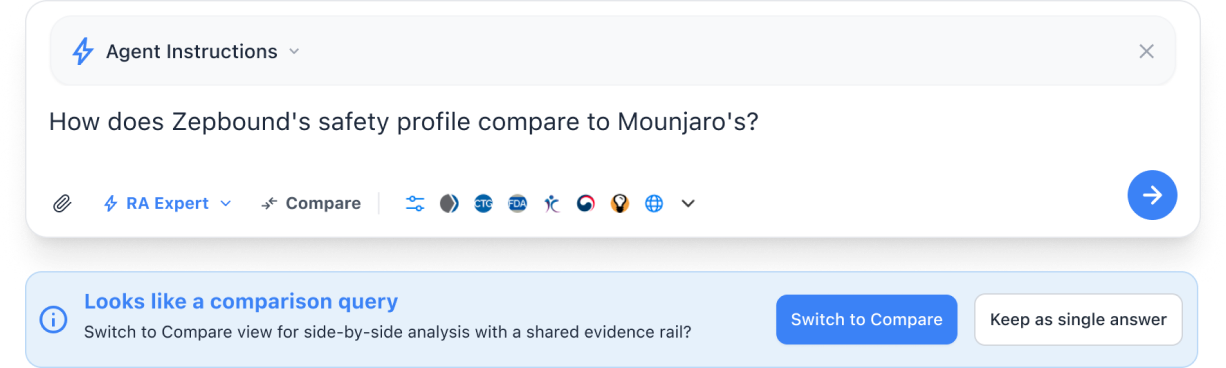
B. Or let the system detect a comparison-style question and suggest switching
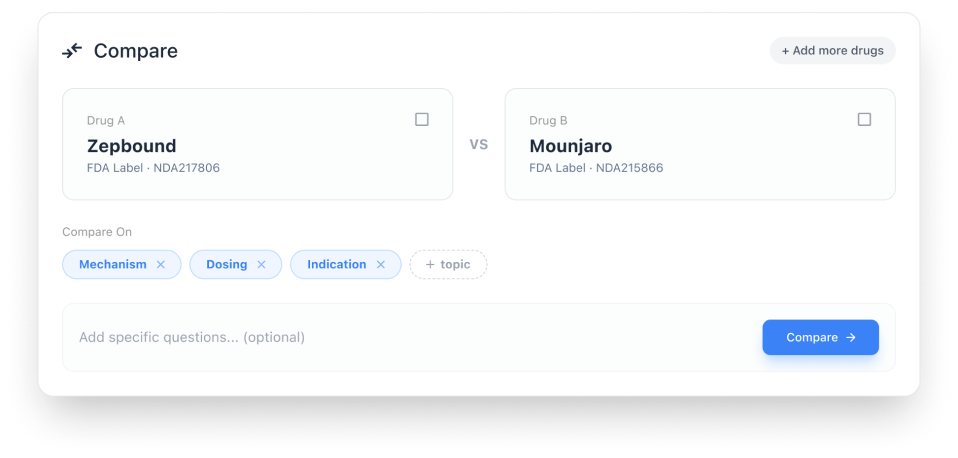
Set the comparison scope — Drug A / Drug B, criteria, follow-up question
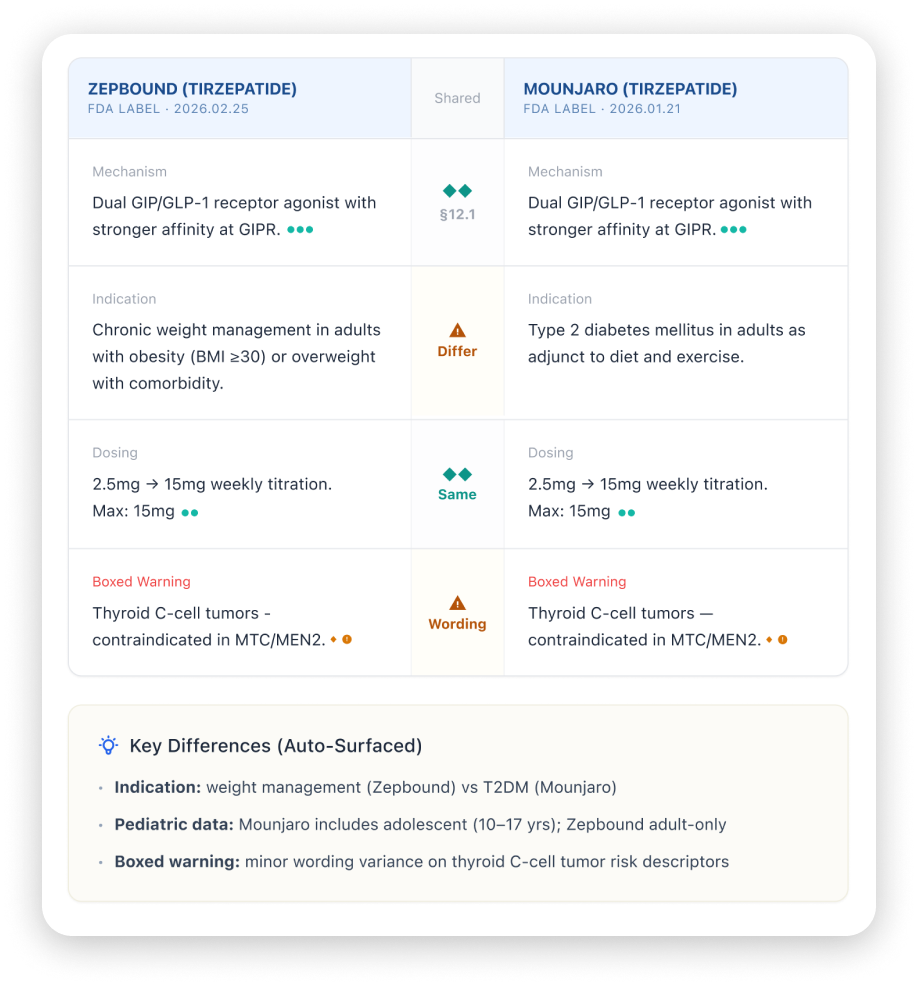
See only the differences, structured and auto-summarized
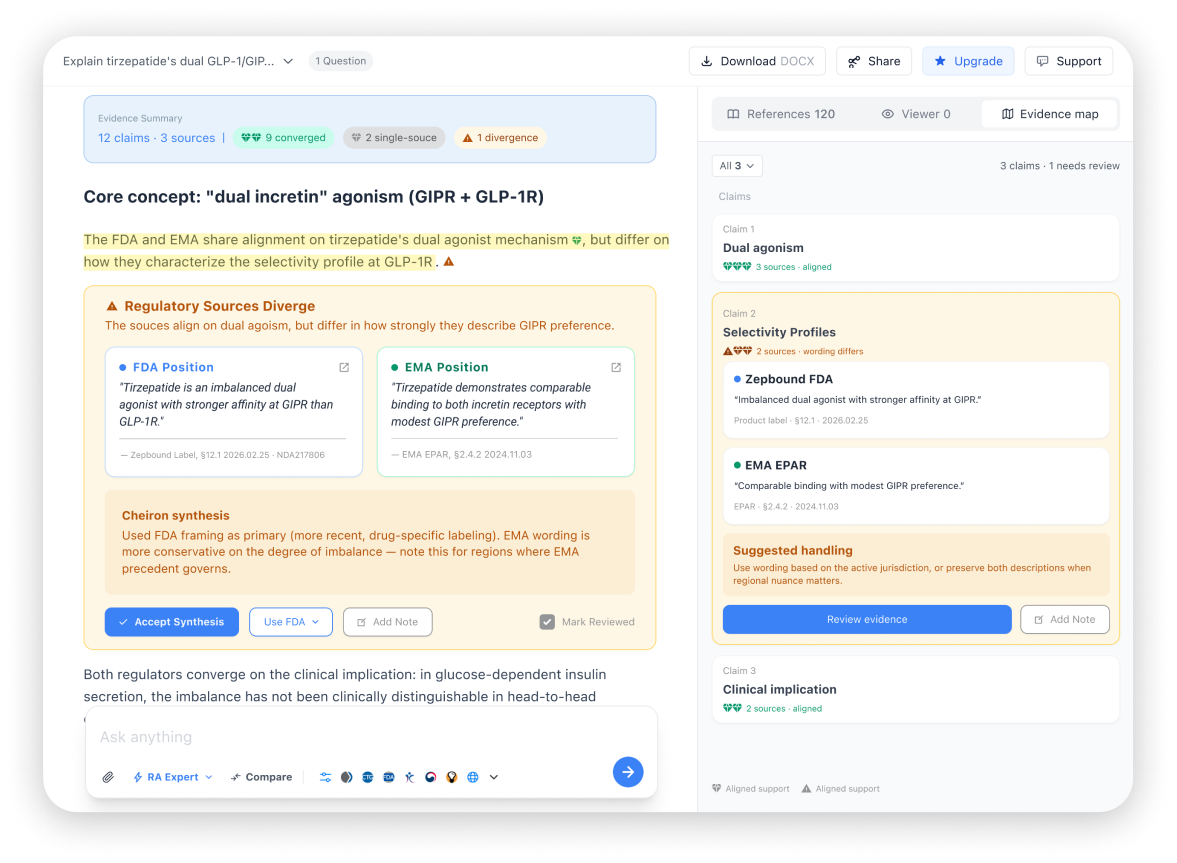
④ Evidence — do my sources agree?
Not "is this real?" — "do my sources agree?" Evidence Map isn’t more answers. It’s a layer for judging which ones to trust.
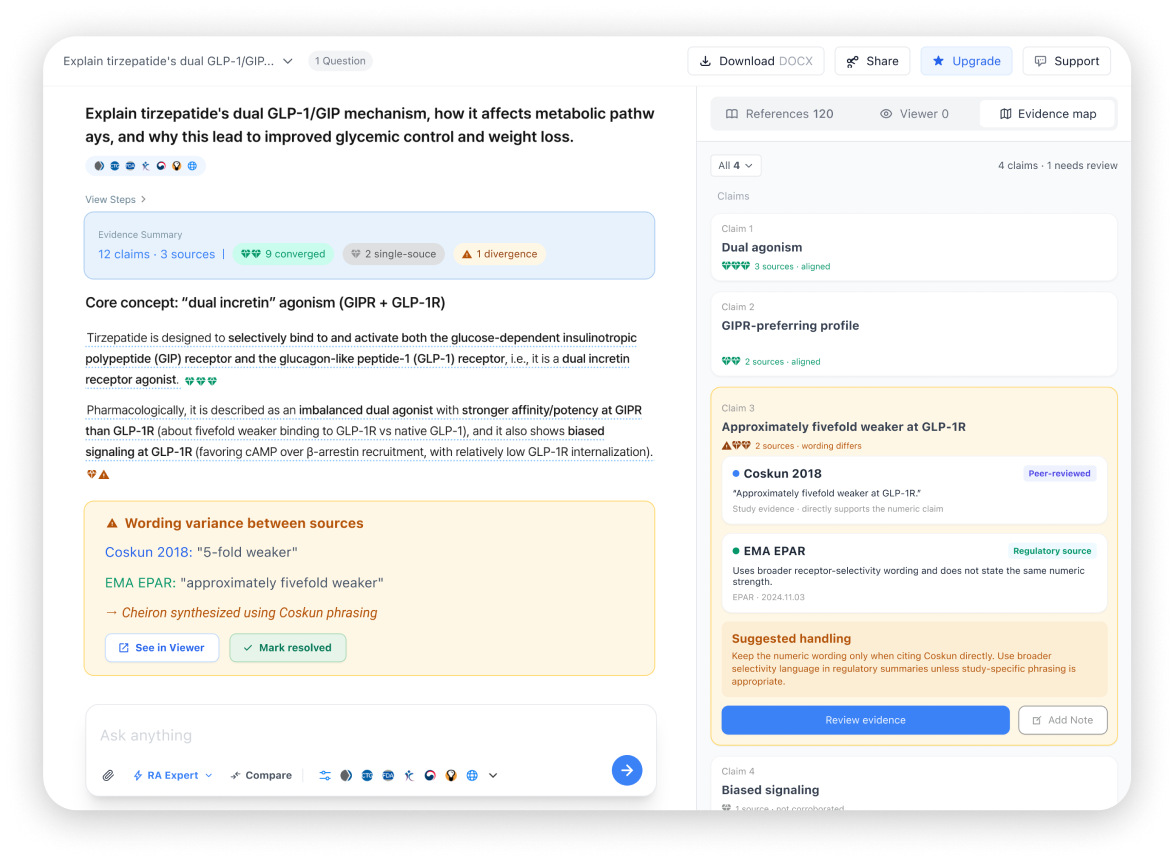
See source agreement at a glance
When sources differ — surfaced, not hidden
Connected to Compare mode too
View this case study on desktop for the full write-up.
Overview
From AI answers to verified decisions.
I redesigned the RA research workflowso users could ask, compare, and verify evidencewithout breaking context.
RA work does not start with search, it starts with context.
The existing platform split answers, comparisons, and source checks into disconnected steps.
Users had to rebuild context at every stage.
Problem 01
No RA-specific input scope
Users had to rebuild task context every time.
Problem 02
Broken verification flow
Checking sources pulled users out of the answer context.
Problem 03
Manual drug comparison
Core comparison work depended on notes and external tools.
From Prompt to Proof
I structured the RA user’s core tasks — asking questions, comparing drugs, and verifying sources — into one connected workflow.
Core User Flow
Set task context before asking, then move straight from the answer into source and document verification.
1
Entry Point
Fast entry from frequent tasks
2
Agent Selection
Pick the AI agent for the role
3
Instructions & Scope
Define drug, region, doc, scope
4
Question Input
Ask in natural language, with compare intent detected
5
Answer Review
Review structured responses and key insights
6
Source Verification
Verify grounding without losing context
7
Evidence Map
Visualize source agreement & conflicts
Base flowCompare logicVerification hubNew feature
AI-Native Workflow
We didn't just build faster — we killed wrong assumptions earlier.
Across a 3-day AI-native sprint, I validated 18 assumptions daily and quickly separated what to keep from what to cut.
18 assumptions · 3 days · filtered every daily cycle
✕
✕
✕
Day 1 — 3 killed
Defining the problem, testing first direction
✕
✕
✕
✕
Day 2 — 4 killed
Locking scope, building screens
✕
✕
✕
✕
✕
Day 3 — 5 killed
Using it myself, restructuring
✓
✓
✓
✓
✓
✓
Survived — 6 decisions
Core design untouched across all 3 days
Killing assumptions isn't failure — it's output. The more assumptions die before the build, the more confidence in what remains.
Day 1 · Redefining the trust baseline
Cut: Citation count equals trust.
Kept: Source relevance and context matter more.
Day 2 · Cutting scope
Cut: Build all 12 frames
Kept: Complete the 8 frames that prove the core flow.
Day 3 · Using it, then cutting it.
Cut: Users will turn on verification when needed.
Kept: Make verification part of the default flow.
Survived — 6 decisions
Kept the thesisExtended existing patternImproved componentExtensible scopeScenario-based structureEvidence Map moved to H2
From input to evidence — Four scenarios, One flow.
The workflow was redesigned around how RA users work: define scope upfront, connect answers to sources, compare drugs within the question flow, and surface source agreement as a key signal.
Not a search box. An RA task brief.
Conditions matter more than wording. Drug, region, and doc type get set before you ask.
TO-BE : RA workspace that starts with task parameters
Answer to source, in one motion.
Trust isn't the wording — it's being able to trace the evidence behind it.
Compare, built into the flow.
Not just what's different — which document and standard it's from. Manual or auto-detected.
Step 1
Two ways into Compare
A. Click Compare directly, then pick drugs and criteria
B. Or let the system detect a comparison-style question and suggest switching
Step 2
Set the comparison scope
Choose Drug A / Drug B, set criteria — mechanism, dosing, indication — and add a follow-up question if needed
Step 3
See only the differences, structured
Shared and differing points organized in the same structure, with key differences auto-summarized
Not "is this real?" — "do my sources agree?"
Evidence Map isn't more answers. It's a layer for judging which ones to trust.